Creating a professional logo doesn’t have to be expensive or complicated. Today, beginners can easily turn simple ideas into logos using artificial intelligence. Moreover, an AI logo generator can help students, freelancers, startups, and small businesses create their first brand identity.
You don’t need advanced design skills to get started. For example, most tools ask for your business name, preferred colors, industry, and design style. Afterward, they create logo concepts you can review and customize. As a result, beginners can design logos more easily and quickly.
However, not every generated design looks professional. Some logos contain unnecessary details, awkward text, or symbols that resemble existing brands. That’s why choosing the right tool and checking every result matters.
The latest design tools offer more than basic logo images. Many now support editing, brand colors, typography, social media assets, and downloadable files. These features make the entire branding process easier.
In this guide, you’ll learn how these tools work, which options are worth considering, and how to create a logo that suits your brand.
What Is an AI Logo Generator?
An ai logo generator is a digital tool that uses artificial intelligence to create logo concepts from your instructions. You usually enter a brand name and select your preferred visual style.
Some platforms use templates and icons to build designs. Others generate artwork from text prompts or combine both methods.
For example, imagine you’re starting an online clothing store. You could request a simple wordmark with an elegant font and an emerald green color scheme. you can also take help from google gemini logo………
The tool may produce several concepts within minutes. You can compare them, adjust the colors, and refine the design before downloading your preferred version.
Still, generating a logo is only the first step. You must check its readability, originality, and suitability for your business.
As one simple design rule puts it, “A good logo should be memorable before it becomes complicated.”
Best AI Logo Generator Tools to Try in 2026
Different tools suit different needs. Some focus on quick designs, while others offer complete branding packages.
Here are five options worth exploring.
1. Canva
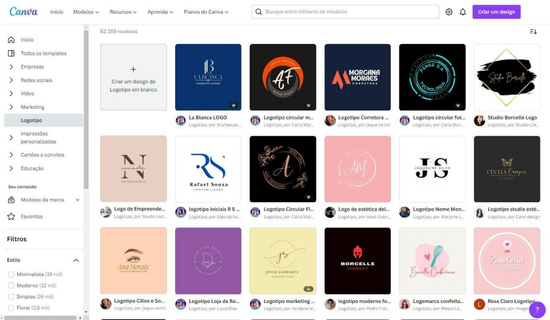
Canva is useful for beginners who want to create logos and other graphics in one place. Its editor includes templates, fonts, shapes, and design elements.
You can customize your logo and use the same visual style across social media posts, presentations, and promotional materials.
However, check Canva’s current content licence before using its elements in a logo you intend to trademark.
Best for: Beginners, students, content creators, and small businesses.
2. Looka
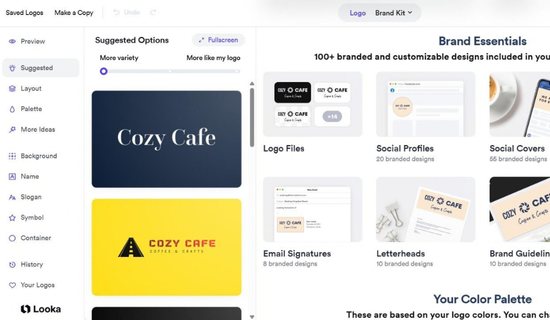
Looka helps users create logo concepts and matching brand materials. You can explore different styles and customize your preferred design.
Its brand kit options may also help you prepare business cards and social media graphics.
However, free previews don’t necessarily include free downloads. Check the available package and licensing terms before paying.
Best for: Businesses that want a logo and matching brand assets.
3. Adobe Express
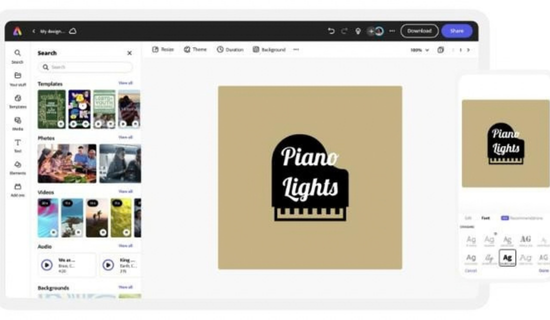
Adobe Express combines logo design with a wider collection of creative tools. You can explore templates, adjust layouts, and edit colors or text.
It’s particularly useful if you already create posters, promotional graphics, or social media content.
Available features and export formats depend on your plan. Check the current options before choosing a subscription.
Best for: Creators who need logo design and other marketing graphics.
4. LogoAI
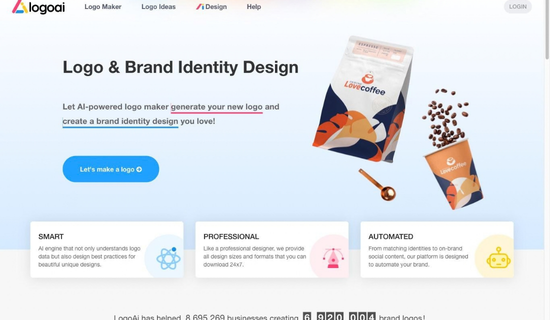
LogoAI focuses on logo creation and related branding materials. Depending on the plan, users can access logo variations, brand assets, and additional visual content.
It’s worth considering if you want a consistent look across several business materials.
However, compare the included downloads, credits, and recurring costs before making a purchase.
Best for: Startups and businesses seeking a broader branding package.
5. Recraft
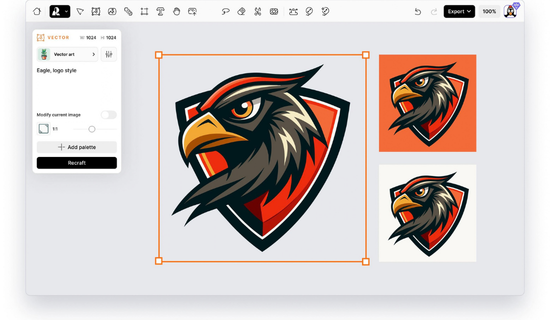
Recraft is useful for creating vector-style graphics and visual concepts. Its design features can help users explore icons, symbols, and brand illustrations.
Vector artwork is especially valuable when a logo needs to work across different sizes.
However, you should still inspect the output and confirm the export and usage terms for your chosen plan.
Best for: Designers and creators who want greater control over visual artwork.
Recent 2026 comparisons also highlight an important difference: some platforms prioritize complete brand kits, while others focus on editable artwork or simple template-based designs.
LogoAI
+2
Quick Comparison of Logo Design Tools
| Tool | Main strength | Best suited for |
|---|---|---|
| Canva | Templates and flexible editing | Beginners |
| Looka | Logo concepts and brand kits | Small businesses |
| Adobe Express | Logo and marketing graphics | Content creators |
| LogoAI | Branding assets and logo variations | Startups |
| Recraft | Vector-style visual creation | Designers |
Features, export formats, and prices can change. Always check each platform’s official website before purchasing.
How to Create a Professional Logo With AI
You don’t need a complicated process. Start with a clear idea and improve it through small changes.
Step 1: Define Your Brand
First, decide what your business represents. A logo for a children’s clothing shop should feel different from one for a software company.
Write down your audience, business name, and preferred style. Choose two or three brand colors that match your message.
For example, a skincare brand might use soft beige and green. A gaming brand might prefer bold lettering and darker colors.
Step 2: Write a Clear Prompt
Next, describe the logo you want. Include the business name, design style, colors, and main symbol.
Avoid vague instructions such as “make something beautiful.” Specific details usually provide a better starting point.
Try this example:
“Create a minimalist logo for Bloom Style, a women’s accessories brand. Use emerald green and ivory, elegant typography, and a simple floral symbol. Keep the design clean, balanced, and easy to recognize.”
You can change the wording to match your own business.
Step 3: Generate Several Concepts
Don’t choose the first result immediately. Create multiple variations and compare their layouts.
Look for a design that remains clear at small sizes. Check whether the symbol and business name work together.
Honestly, a simple design often looks more professional than one filled with decorative elements.
Step 4: Customize the Best Result
Now refine the strongest concept. Adjust its font, colors, spacing, and icon placement.
Remove anything that doesn’t support your brand identity. Make sure the business name is spelled correctly.
If the platform struggles with text, add the wording manually in a suitable editor.
Step 5: Download the Right Files
Finally, export the logo in suitable formats.
A transparent PNG works well for many online uses. An SVG file is usually more useful when you need scalable vector artwork.
Check the file quality before using the logo on your website, packaging, or printed materials.
Tips for Getting Better AI Logo Results
A strong prompt can save time and reduce unnecessary revisions. Keep these practical tips in mind.
- Be specific: Describe your industry, audience, colors, and design style.
- Keep it simple: Choose one main symbol instead of several competing graphics.
- Limit the palette: Start with two or three colors for a consistent appearance.
- Check the lettering: Make sure every word is correct and readable.
- Test different sizes: Preview the design as a profile picture and website logo.
- Compare alternatives: Review several concepts before making your final choice.
You can also test different prompt styles. For example, request a minimalist wordmark, a geometric icon, or a monogram using your business initials.
These variations help you discover which direction fits your brand.
Example: Creating a Logo for a Small Business
Imagine a friend is launching a home-based bakery. She needs a logo for Instagram, product labels, and cake boxes.
She starts with a business name and asks an AI branding tool for a warm, simple design. The first concepts contain too many decorative cakes and tiny details.
Instead of starting over, she requests a single cupcake icon and rounded lettering. She then changes the colors to cream and brown.
The revised design looks cleaner. She checks it against a plain background and a small Instagram profile image.
This example shows why editing matters. AI can speed up the creative process, but your choices determine whether the result fits your business.
What Makes a Logo Suitable for Professional Use?
A logo should be more than attractive. It must work across different platforms and represent your brand clearly.
| Feature | What to check | Why it matters |
|---|---|---|
| Readability | Text stays clear at small sizes | Improves recognition |
| Simplicity | Avoids unnecessary details | Makes the design easier to remember |
| Scalability | Vector format is available when needed | Supports large and small applications |
| Consistency | Colors and fonts match your brand | Creates a unified identity |
| Originality | Symbols don’t closely resemble existing marks | Reduces potential brand conflicts |
Remember, a generated design isn’t automatically unique or legally protected. Search for similar logos before using one commercially.
If trademark protection is important, consult a qualified professional and review the relevant registration rules.
Common Mistakes to Avoid
Even a useful logo design tool can produce disappointing results when you rush the process.
Watch out for these mistakes:
- Copying another brand: Use references for inspiration, not imitation.
- Choosing complex artwork: Tiny details may disappear on labels or profile pictures.
- Ignoring spelling errors: Always inspect the business name carefully.
- Forgetting file formats: Check whether you need PNG, SVG, PDF, or another format.
- Skipping licence checks: Confirm commercial-use rights and ownership terms before publishing.
- Paying too early: Review free previews, download conditions, and renewal costs first.
A logo doesn’t need expensive effects to look professional. Clear lettering, balanced spacing, and a suitable symbol can be enough.
Is an AI Logo Generator Free to Use?
Some platforms offer free logo creation, while others charge for downloads or advanced features.
The word “free” can mean different things. You might generate several concepts without paying but need a subscription for high-resolution files.
Before choosing a tool, review its available plan and download restrictions.
| Option | Possible benefit | What to verify |
|---|---|---|
| Free logo maker | Basic designs without an upfront fee | Download limits and licensing |
| Paid logo package | High-quality files or additional formats | One-time payment and included files |
| Brand kit subscription | Matching business graphics | Renewal cost and cancellation terms |
| Vector design tool | Scalable artwork | Export options and commercial rights |
Prices and conditions vary by platform. Check current details rather than relying on old comparisons.
Conclusion
An ai logo generator can make logo creation easier for beginners, freelancers, and small businesses. It helps you explore different concepts without starting every design from scratch.
However, the best result comes from clear instructions and careful editing. Choose a suitable tool, refine the strongest concept, and check your final files before publishing.
Also, review commercial-use terms and search for similar trademarks when building a serious business identity.
Start with a simple design. Make it readable, memorable, and consistent with your brand. Those qualities matter more than adding unnecessary effects.
Frequently Asked Questions
1. What is the best tool for creating a logo with AI?
The best option depends on your needs. Canva suits beginners, Looka offers brand kit options, and Recraft supports vector-style artwork. Compare their features before deciding.
2. Can I create a logo without design experience?
Yes. Many platforms provide templates, guided questions, and simple editing tools. You can begin with a basic concept and improve it gradually.
3. Can I use my AI-generated logo commercially?
That depends on the platform’s terms, the assets used, and any applicable restrictions. Review the licence before using the design for business purposes.
4. Which file format is best for a logo?
PNG is useful for many digital applications, especially when transparency is needed. SVG is a scalable vector format that works well for many printing and design tasks.
5. Are free logo makers worth trying?
Yes. Free tools can help you explore ideas and test different styles. However, some charge for high-resolution downloads or advanced features.
6. Can an AI-generated logo be trademarked?
Possibly, but eligibility depends on the design, applicable law, and the level of human authorship involved. Similar existing marks can also create problems. Consult a trademark professional for advice on your specific logo.